You send a campaign to a list you've worked hard to build. The offer is solid. The creative looks clean. The product page converts when people reach it. Then the results come back flat, and the numbers don't line up with the effort.
For a lot of ecommerce stores, that problem starts before the customer ever sees the subject line. The email didn't lose in the inbox. It lost at the gate.
That's what makes junk email filtering so expensive. It doesn't just block scams and obvious garbage. It also misclassifies legitimate marketing, shunts promos into lower-attention folders, and sometimes buries operational messages your customers were waiting for. If you run a store, that means abandoned cart reminders, launch emails, restock alerts, and even order-related messages can disappear without a visible warning.
Table of Contents
- The Invisible Wall Between You and Your Customers
- What Is Junk Email Filtering Really
- Inside the Black Box How Modern Email Filters Work
- The Top Reasons Your Marketing Emails Land in Junk
- Best Practices for Reaching the Inbox Every Time
- Monitoring and Troubleshooting for Ecommerce Stores
- Your Essential Email Deliverability Checklist
The Invisible Wall Between You and Your Customers
An apparel brand launches a weekend sale. The team expects a spike because the segment bought well last quarter and the discount is strong. Instead, revenue comes in soft. Support gets a few “I never got your email” messages, but nothing dramatic enough to explain the miss.
That's the trap. Junk email filtering usually doesn't fail loudly. It fails subtly.
For store owners, that invisible wall sits between your sending platform and your customer's attention. You can have strong products, a healthy ad program, and polished flows in Klaviyo or Mailchimp, then still underperform because mailbox providers decide your message looks risky, unwanted, or low priority. The customer never opens because the customer never really got the chance.
Practical rule: If a campaign underperforms, don't assume the offer was weak. First ask whether the email reached the inbox, the promotions area, junk, or nowhere at all.
This hits ecommerce harder than many other businesses because email isn't just a newsletter channel. It's part of the shopping experience. Stores rely on it for launches, replenishment nudges, welcome offers, loyalty updates, browse abandonment, cart recovery, and post-purchase education. When any of those miss, you don't just lose engagement. You lose timing.
The frustrating part is that most advice lives at the wrong level. Security articles explain filtering like a network engineer. Beginner marketing posts reduce it to “avoid spam words.” Neither helps much when you're trying to diagnose why a campaign with real customers and real consent still gets sidelined.
That gap is fixable. Once you understand how junk email filtering works, you can stop treating deliverability like luck and start treating it like store infrastructure.
What Is Junk Email Filtering Really
Junk email filtering is the screening system mailbox providers use to decide where your message goes. It operates like a nightclub with a serious security team. One person checks whether you belong there. Another checks whether you've caused trouble before. Another watches how you behave once you're inside.
That's why a clean-looking email can still end up in junk. The filter isn't judging one thing. It's judging identity, reputation, message patterns, and likely recipient reaction.
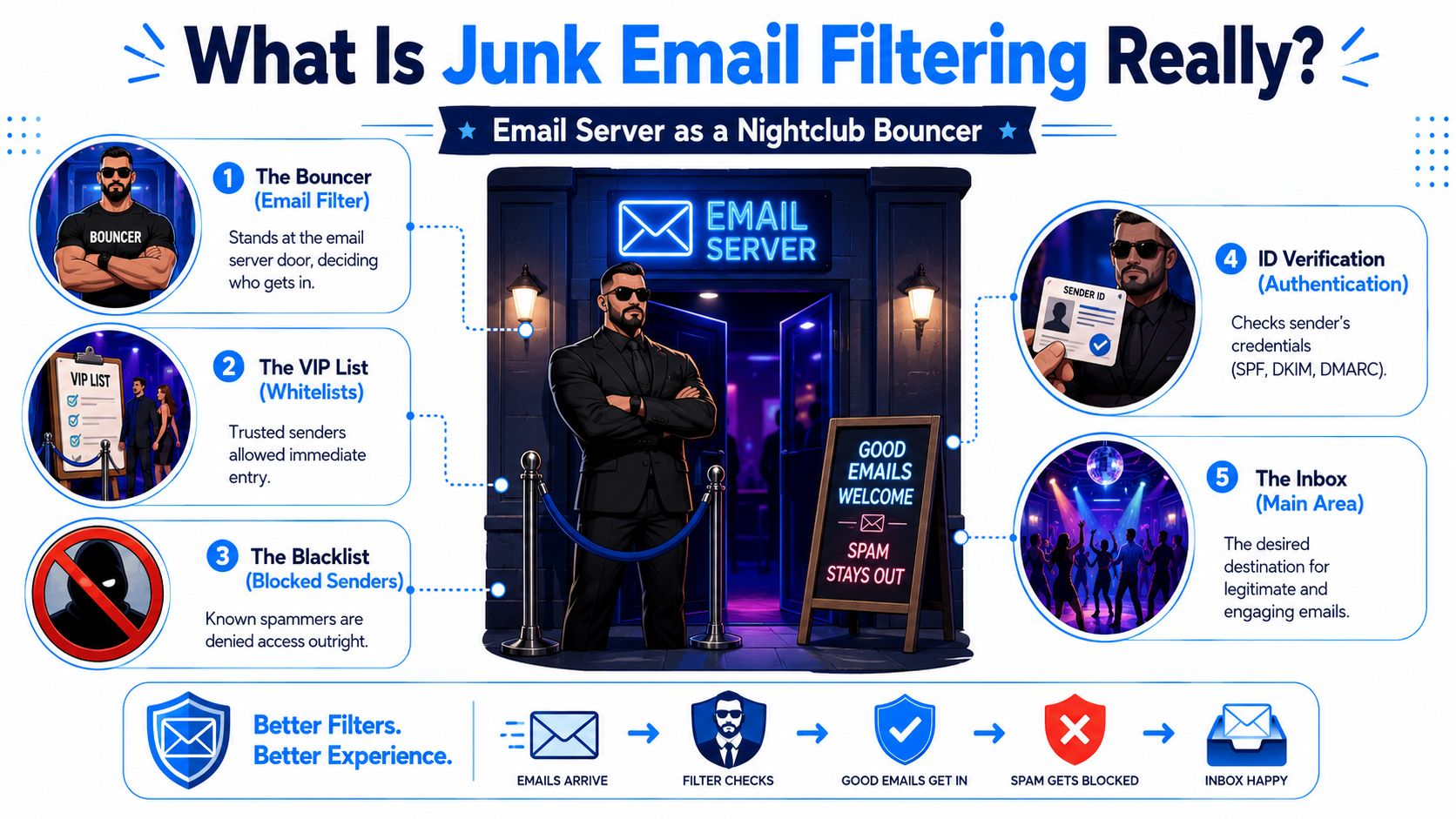
The bouncer analogy in plain English
At the door, the bouncer checks whether the sender is recognized and properly identified. That's the equivalent of authentication. If that check fails, the message starts with a trust deficit.
Then comes the guest history. Has this sending domain behaved well over time? Do recipients usually engage with its mail, ignore it, or complain about it? That's sender reputation.
After that, security looks at what you're carrying in. Strange links, suspicious attachments, misleading wording, spoofed branding, and odd formatting all raise concern. Finally, the venue reacts to crowd behavior. If people regularly reject, delete, or report similar mail, future messages get examined more harshly.
Why filters are so aggressive
They have to be. A 2025 email roundup estimated that about 46% to 47% of all email traffic is spam or unwanted, or roughly 176 billion junk messages per day, while a separate projection in the same reporting put worldwide email volume at 376.4 billion emails per day in 2025. That same source said around 10.5% of messages land in spam folders and another 6.4% are blocked or never delivered, which implies about 1 in 6 marketing emails fails to reach the inbox.
For a store sending at scale, that's not a side issue. It's a revenue issue.
Here's the practical takeaway. Mailbox providers aren't trying to punish marketers. They're trying to protect users from overwhelming volume and constant abuse. If your email program creates even a mild resemblance to unwanted bulk mail, the system won't give you much benefit of the doubt.
The inbox is not a right. It's access you keep earning.
Inside the Black Box How Modern Email Filters Work
A campaign can look perfectly fine in Klaviyo or Shopify Email and still get sidelined before a customer ever sees it. That happens because mailbox providers do not make one simple yes-or-no decision. They run your message through a series of checks, and each check answers a different question about trust, risk, and expected user response.
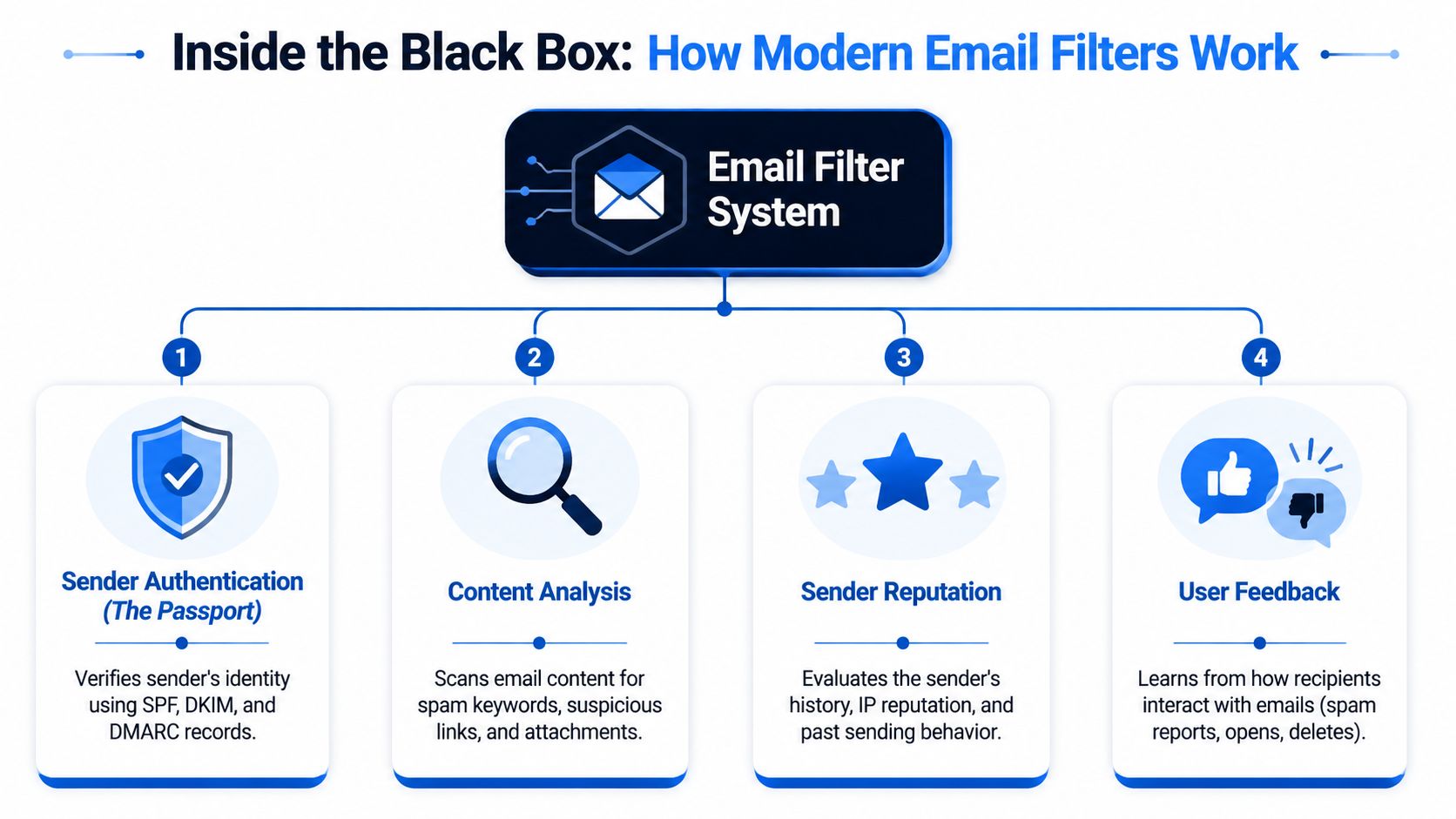
Proofpoint's overview of email filtering describes modern filters as multi-layered systems that combine connection filtering, header analysis, content scanning, and machine-learning-based behavioral analysis before deciding whether a message is delivered, quarantined, or blocked. For an ecommerce brand, that matters because inbox placement rarely fails for one reason alone. A weak setup in two or three areas is often enough to push a promotion, win-back, or product launch into junk.
Authentication is your ID check
The first question is basic. Is this message really from your brand, or is someone impersonating it?
That is the job of SPF, DKIM, and DMARC. These records do not improve copy or offers. They prove identity and help receiving servers trust the path your email took to get there.
If you want a marketer-friendly breakdown that still covers the technical reality, Email Authentication Explained is a solid reference.
Here is what each one does:
- SPF lists which servers are allowed to send mail for your domain.
- DKIM adds a signature that helps verify the message was not changed after it was sent.
- DMARC ties those checks together and tells providers what to do when mail fails them.
This step trips up ecommerce stores more often than it should. A team adds a helpdesk platform, review tool, loyalty app, or pop-up form vendor, but the domain settings do not get updated cleanly. The result is mixed identity signals. The campaign is legitimate, yet it arrives looking less trustworthy than it should.
Reputation is your sending history
Passing authentication only gets you through the front door. The next question is whether your domain and sending infrastructure have earned trust over time.
Mailbox providers look at sending patterns, complaint rates, bounce behavior, engagement trends, and how consistently you mail. Sudden spikes raise concern. So do old lists, aggressive discount blasts, and frequent sends to people who stopped engaging months ago.
This is why list acquisition affects filtering long before a campaign is written. Stores that collect weak signups usually see the problem later as poor engagement, more complaints, and lower inbox placement. Tightening how addresses enter your list helps at the source. Practical fixes like double opt-in, clearer form intent, and stronger capture hygiene are covered in this guide on improving the quality of the emails that you collect.
| Layer | What the filter is checking |
|---|---|
| Authentication | Does the sender identity match the domain and sending path? |
| Reputation | Has this sender earned trust through consistent, wanted mail? |
| Content | Does the message contain risky patterns, deceptive signals, or technical issues? |
| User signals | Do recipients open, click, save, ignore, delete, or complain? |
Content review is broader than spam words
Many marketing teams spend too much time hunting for trigger words and too little time reviewing how the whole email looks to a filter.
Content scanning can include link reputation, redirect behavior, image-to-text balance, HTML quality, footer clarity, brand consistency, attachment types, and wording that resembles phishing or manipulation. A perfectly legitimate sale announcement can still pick up risk if it uses sketchy tracking links, broken code, misleading subject lines, or a template copied across several domains.
This is one of the biggest gaps between technical guides and practical marketing advice. The filter is not judging your campaign the way your design team does. It is asking whether the message pattern resembles wanted commercial mail from a trusted sender.
Behavior closes the loop
After identity, reputation, and content checks, providers still watch what recipients do. If customers open your emails, click through, move them out of promotions, or consistently leave them unread, those signals shape future placement.
That feedback loop is why ecommerce stores can see inbox placement drift after a list push or an aggressive promotion calendar. The first campaign may scrape through. The next few campaigns face tougher review because the early user response was weak.
The practical lesson is simple. Fixing deliverability usually means fixing the whole sending system, not one line of copy. Audit domain authentication, sending consistency, list quality, template health, and post-send engagement patterns together.
The Top Reasons Your Marketing Emails Land in Junk
Most junk placement problems come from a mismatch between how you see your email and how the mailbox provider sees it. You see a campaign. The filter sees a sender with a history, a technical identity, a message pattern, and an audience response profile.
That difference is why teams get blindsided. They know the email is legitimate. The filter only knows whether the message looks trustworthy and wanted.
You fail trust checks before the email is read
A surprising number of deliverability problems start before copy matters at all. Authentication is incomplete. A sending domain changed but records weren't updated. A third-party tool was added and not properly aligned. The message arrives with identity signals that don't cleanly match.
When that happens, the rest of your campaign has to fight uphill. Even good engagement may not fully compensate for weak technical trust.
This is also why false positives matter so much. Microsoft's Outlook documentation notes that the practical issue isn't only blocking spam, but also preventing legitimate messages from being hidden. It specifically highlights the business risk for ecommerce, where missed order confirmations or lead-capture emails can create direct revenue loss, as covered in Microsoft's junk email filter overview.
Your list quality trains filters against you
The fastest way to damage deliverability is to keep sending to people who never asked, stopped caring, or entered bad addresses in the first place.
That's where acquisition discipline matters. If your popup or lead form attracts low-intent signups, your problems start upstream. Disposable addresses, mistyped addresses, and coupon-only signups pollute your list, lower engagement, and make mailbox providers less confident that your mail is welcome. A practical starting point is to tighten your capture process and review how you collect addresses in the first place. This guide on improving the quality of the emails that you collect is useful because it focuses on the source of the problem, not just the symptom.
Common list mistakes include:
- Imported legacy contacts: Old lists often contain inactive or abandoned addresses that no longer respond.
- Weak incentive collection: Visitors enter throwaway emails just to grab a discount code.
- No suppression discipline: You keep mailing disengaged people because “maybe they'll come back.”
- Over-broad segments: Product buyers, newsletter readers, contest entrants, and one-time coupon seekers all get the same cadence.
You send legitimate email that behaves like graymail
Not every deliverability problem is classic spam. Some of it is graymail, which sits in the annoying middle ground. The mail is technically legitimate, but recipients don't treat it as important. They skim it, postpone it, or ignore it.
For ecommerce, graymail usually looks like this:
- Too many promos: Every send is a sale, drop, reminder, last chance, or extra-last chance.
- Thin value: The customer learns nothing new and feels no urgency beyond pressure.
- No cadence control: Recent buyers get the same push as dormant subscribers.
- Template sameness: Every email looks and sounds identical, so recipients mentally tune it out.
That's why stores can follow the rules, avoid obvious spam language, and still underperform. Mailbox providers don't just ask, “Is this dangerous?” They also ask, “Do people act like they want this?”
Best Practices for Reaching the Inbox Every Time
Deliverability improves when your email program becomes easier to trust. Not louder. Not trickier. Easier to trust.
Start with the foundation, because copy tweaks won't rescue a weak sending setup.
Fix the technical foundation first
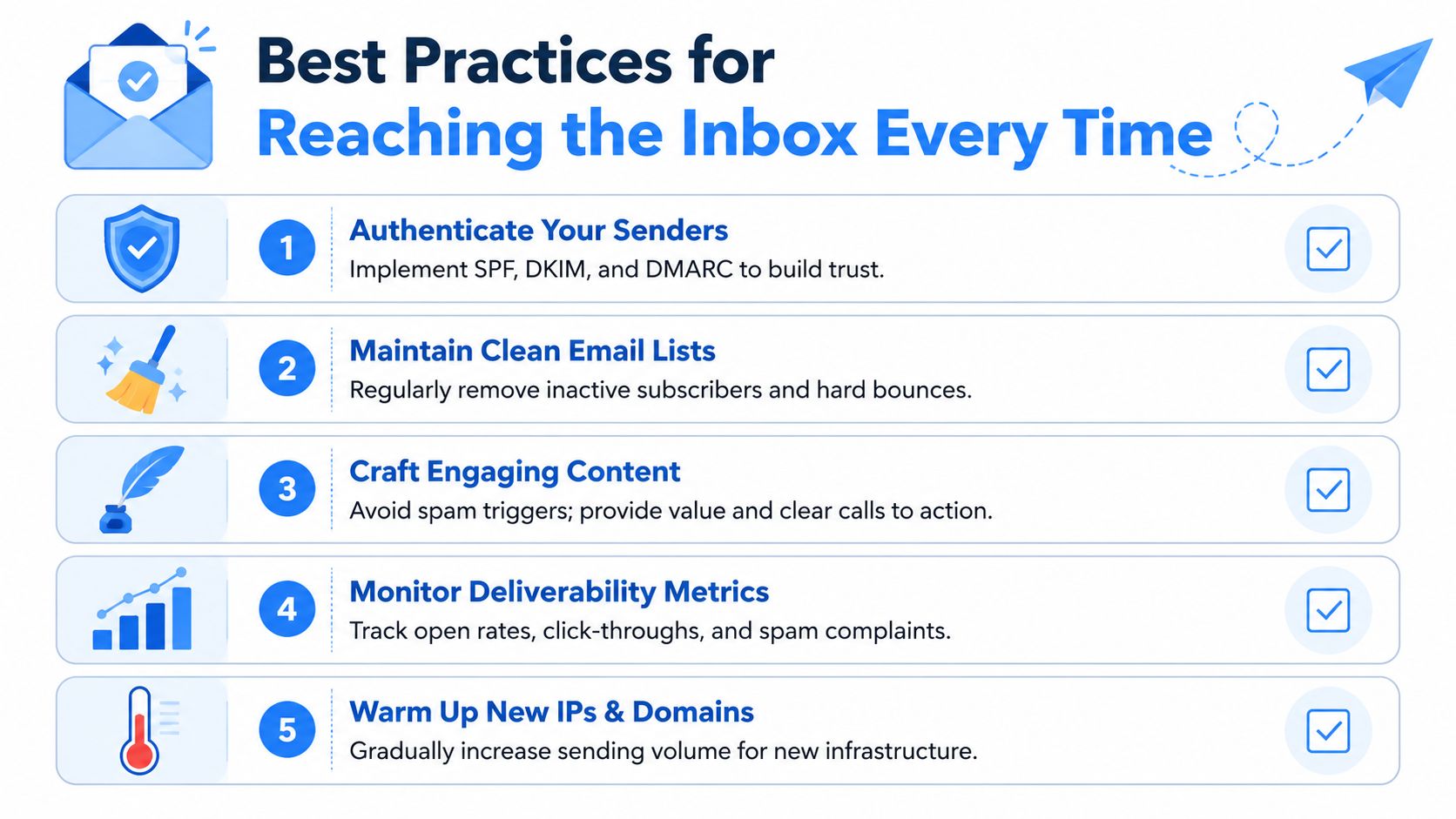
If you send from Klaviyo, Mailchimp, Shopify Email, or another platform, make sure your authentication is fully set up and aligned with the domain customers recognize. Don't treat this as a one-time task you handled years ago. Recheck it when you change tools, domains, subdomains, or sending workflows.
Then look at sending consistency. Filters dislike sudden bursts from new or lightly used sending infrastructure. Warm up carefully, increase volume gradually, and avoid flipping from low activity to a major blast overnight.
A simple pre-send standard works well:
- Authenticate every sending path: Your promotional and automated flows should both pass trust checks.
- Use branded consistency: The domain, from-name, and visual identity should feel coherent.
- Separate message types when needed: Transactional and promotional sends shouldn't interfere with each other.
- Keep volume predictable: Stable sending habits build confidence over time.
UT Dallas's guidance on graymail filtering is useful here because it shows that modern filtering isn't only about malicious spam. Providers also sort unsolicited, promotional, or bulk mail into dedicated areas to reduce clutter. So “legit” doesn't automatically mean “inbox.”
Treat list hygiene like inventory control
Good stores don't leave broken inventory data sitting around. Email lists need the same discipline.
Remove hard bounces. Suppress people who haven't engaged for a long time. Be careful with purchased, scraped, or loosely collected contacts. If a signup source consistently produces weak engagement, fix the source instead of pushing harder on sends.
This is also where integration quality matters. If your forms, popups, and checkout capture are feeding your email platform poorly, the list gets messy fast. A clean operational walkthrough for that handoff is this guide on sending collected data to your email provider like Mailchimp or Klaviyo.
If you want another practical angle on engagement-focused tactics that also help boost email open rates, that resource is worth reading because it connects deliverability habits with campaign performance instead of treating them as separate topics.
A quick way to think about hygiene:
| Problem | Better move |
|---|---|
| Old inactive segment | Run a focused re-engagement plan, then suppress non-responders |
| Coupon-only signups | Tighten form quality and incentive logic |
| Rising complaints | Reduce frequency and improve segmentation |
| Broad campaign fatigue | Send based on product interest and recency |
Here's a useful walkthrough on the content side before you revise templates:
Write for inbox placement and conversion
Good deliverability copy doesn't read like it's trying to beat a filter. It reads like a helpful brand email that the recipient expected and can act on quickly.
A few habits work consistently:
- Lead with relevance: Mention the product category, benefit, or action that matches the segment.
- Cut fake urgency: If everything is “urgent,” nothing feels credible.
- Balance images and text: A giant image with little supporting copy can look low-context and unhelpful.
- Use obvious calls to action: One clean next step beats five competing buttons.
- Align promise and landing page: If the subject line promises one thing and the page delivers another, trust drops.
Send fewer emails that matter more. That beats sending more emails and hoping the algorithm sorts it out.
Monitoring and Troubleshooting for Ecommerce Stores
A campaign can look fine at 9 a.m. and still hurt you by next week.
That happens all the time in ecommerce. A holiday push pulls in a wave of discount seekers, a popup test adds lower-quality signups, or a product launch pushes frequency higher than your list will tolerate. Revenue might hold for a send or two, but inbox placement often slips before store owners notice why.
Mailbox providers leave clues. The job is to read them early and tie them back to store activity, not treat deliverability as a separate technical problem.
What to watch after every campaign
Start with changes, not isolated numbers. One weak open rate could be subject line fatigue. A weak click rate could be the offer. Deliverability problems usually show up as a pattern across multiple signals, especially when one segment, signup source, or campaign type starts behaving differently from the rest.
Review these after each meaningful send:
- Placement trends: Check whether campaigns are showing up more often in promotions or junk through seed tests and provider reporting.
- Complaint behavior: Look for spikes by segment, acquisition source, or campaign type. New subscribers from aggressive discount offers often behave very differently from post-purchase buyers.
- Bounce profile: Watch whether invalid or risky addresses rise after a popup change, giveaway, or list growth push.
- Flow health: Compare broadcasts with welcome, cart abandonment, and post-purchase emails. If flows stay healthy while campaigns weaken, the problem is usually targeting, list quality, or send cadence.
The filtering systems themselves are good at spotting bad patterns. Your advantage is context. You know which popup changed, which campaign went broader than usual, and which discount brought in low-intent signups.
Why signup quality is often the first thing to audit
Ecommerce lists get polluted in a very specific way. A shopper wants the 10 percent code, enters a throwaway address, never opens again, and your next few campaigns go to a segment with weaker engagement than it appears to have on paper.
That creates two problems at once. You waste sends on people who will never buy, and mailbox providers see a list that attracts poor engagement and more invalid addresses.
If campaign quality drops after a list growth push, audit the signup path before blaming your ESP. Check where the leads came from, what incentive was offered, whether the form allowed obvious junk, and how those subscribers behaved in their first 7 to 14 days. For stores that need tighter screening, this guide on how to verify emails with an external service like Captain Verify gives a practical way to filter out bad addresses before they distort your metrics.
A useful rule here is simple. Fixing acquisition is cheaper than cleaning up reputation after repeated bad sends.
Your Essential Email Deliverability Checklist
Save this and use it before every meaningful send.
Before you send
- Confirm authentication: Make sure your main sending domain and all active tools are properly aligned.
- Check list source: Segment by signup origin, recency, and engagement, not just by total list size.
- Suppress weak contacts: Remove hard bounces, obvious junk, and long-unengaged subscribers from the send.
- Review cadence: Don't stack promo after promo into the same audience without a reason.
While you send
- Match content to intent: Send product launches to interested shoppers, not everyone.
- Use credible copy: Clear subject lines and honest offers outperform manipulative urgency.
- Keep design readable: Don't rely on one huge image or cluttered layouts with too many links.
After you send
- Watch complaint and bounce patterns: A single campaign can reveal a list-quality problem.
- Compare flows vs campaigns: If automated emails perform well and broadcasts don't, your segmentation is likely the issue.
- Clean continuously: Deliverability improves when hygiene is ongoing, not occasional.
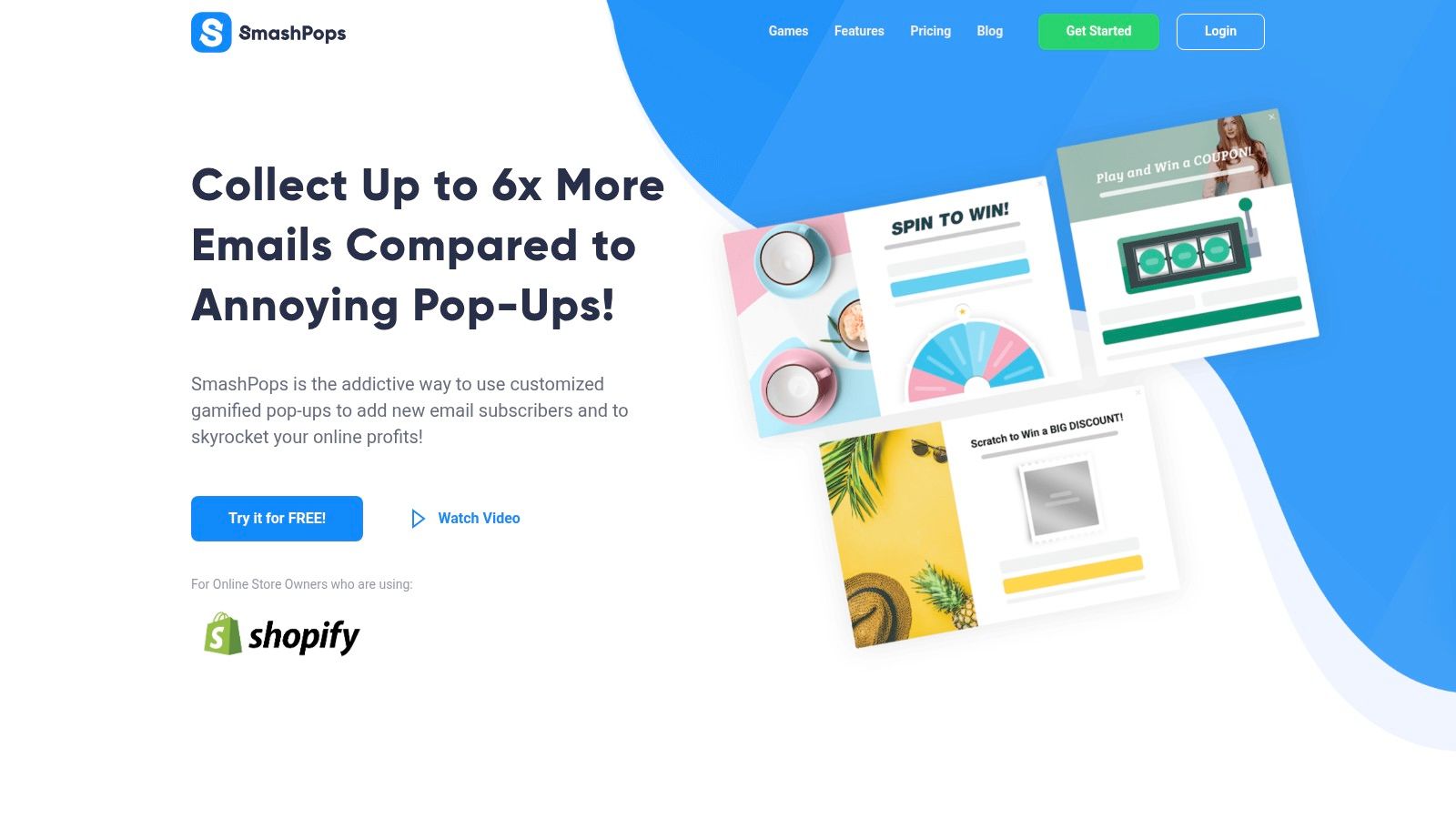
If you want to grow your list without filling it with low-quality signups, SmashPops is worth a look. It helps Shopify stores collect emails through gamified popups, supports major email platforms, and includes built-in junk email detection so you can protect list quality at the point of capture instead of trying to repair it later.
