In this page, we’ll go through how SMS consent works in Klaviyo.
It is also good to read this other page to understand what is at stake for SMS consent in terms of legislation and sanctions (fines). The “Understanding SMS consent collection” article by Klaviyo also contains a good explanation.
How is SMS consent expressed on a Klaviyo profile?
We can have 2 different expressions of the SMS consent on a profile in the Klaviyo interface:
- The checked mark in the SMS marketing channel box.
- The “sms_consent: true” custom property.
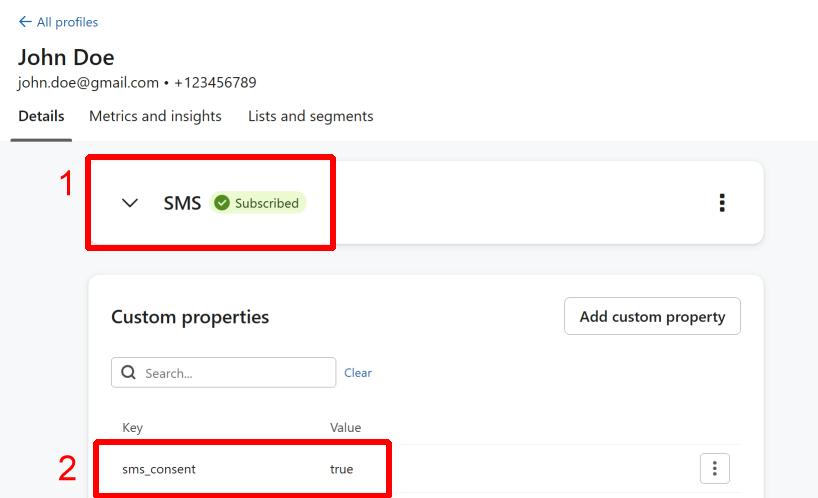
Let’s see how and when those 2 marks are created.
1. Channel checkmark
To get this check mark to be green, first you need to have collected a phone number that belongs to the countries for which Klaviyo supports SMS (as of October 2024 : UK, US, AU, CA, FR, DE, NZ, IE, NL, AT, ES, CH, DK, SE, NO, FI). For phone numbers outside of those countries, you will never see this channel consent checkmark (and you can’t send SMS messages to them via Klaviyo).

So, let’s assume that we’re collecting phone numbers in those countries. One important thing to check is your list’s opt-in setting.
If you edit your list “Settings”, you’ll see a section called “Opt-in process” in “Consent”.
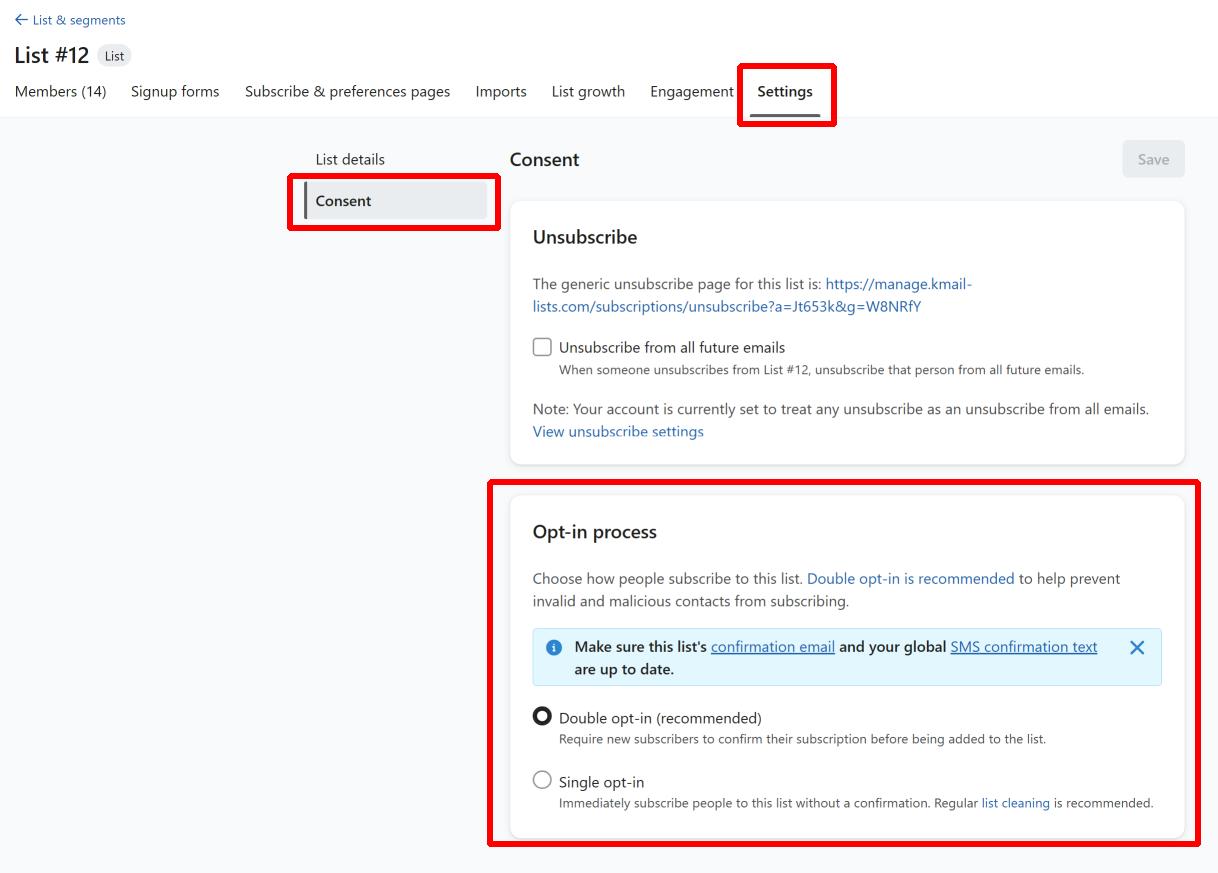
You have 2 options there:
- Double opt-in (default option) : this means that a confirmation SMS will be sent to the subscriber, and it needs to be answered positively by the subscriber in order for the checkmark to be green. Please note that the subscriber will not be visible in the list until he has confirmed his subscription.
- Single opt-in : this means that the SMS channel can be marked as consented (green checkmark) without having to go through a confirmation SMS.
You should probably always use double opt-in for SMS lists as US carriers often require it.
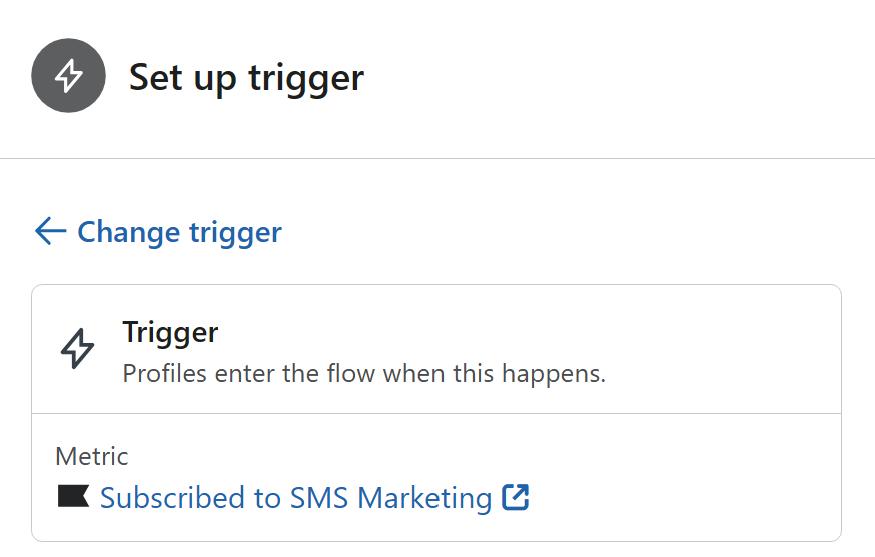
Another thing to know about the channel checkmark is that it is considered by Klaviyo as the source of truth for their “Subscribed to SMS marketing” flow triggers / conditions.
2. sms_consent custom property
This is a regular custom property that can be added/edited like any other. This custom property will be set for phone numbers belonging to countries that are not supported by Klaviyo for SMS. It should be visible as soon as a customer is added to your list.
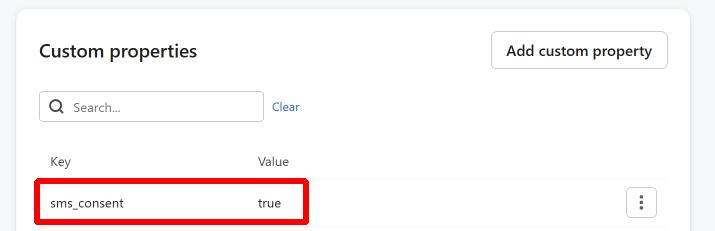
Similarly to the “channel checkmark”, you can use it as a filter in your flows :
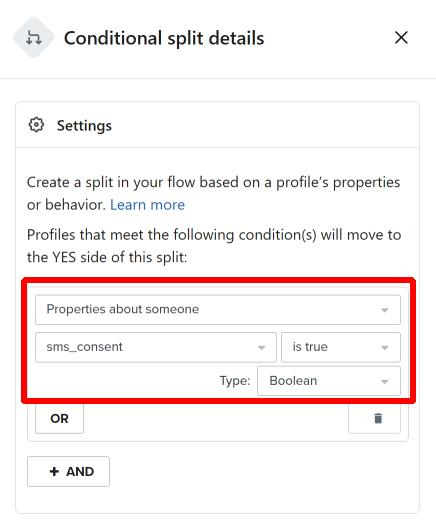
If you use this property to determine whether or not you should send marketing SMS messages, please note that to remove the SMS consent you’ll either need to remove the subscriber from the list or remove the consent via API. This property does not seem to be updated automatically by Klaviyo, you’ll need to make sure it’s up to date by yourself.
What is going to happen when I collect data via SmashPops?
If you haven’t activated “Mark SMS marketing consent as accepted”, we will add the subscriber to your list but you won’t see the “sms_consent” custom property nor the SMS channel checkmark (and of course, you should not send SMS marketing messages to the subscriber in this case).
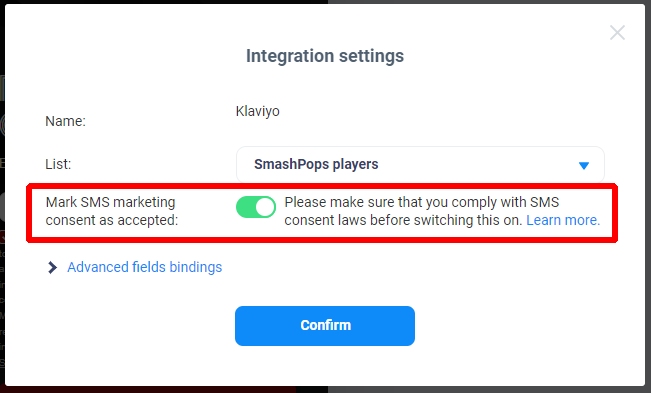
If you have activated “Mark SMS marketing consent as accepted”, the following will happen depending on whether the number belongs to the SMS countries supported by Klaviyo or not (as of August 2022 : US, UK, CA, AU) :
- If the collected phone number is from a “SMS supported” country, we will add the subscriber to the list and then …
- If your list is “single opt-in”: it will show up immediately in your list with only the green SMS channel checkmark.
- If your list is “double opt-in”: it will not show up in your list until the SMS confirmation message sent by your Klaviyo account (using your credits) has been accepted. Once it is accepted, it will show up in the list with only the green SMS channel checkmark.
- If the collected phone number is NOT from a “SMS supported” country, the subscriber should show up in your list immediately with only the “sms_consent: true” property.
If you haven’t activated “Mark SMS marketing consent as accepted”, we will still add subscribers to your list of course. It will show up in your list immediately with all the data you collected (including the phone number), but no SMS channel checkmark and no “sms_consent” property.
Additional notes
– Whatever you choose to decide for the “Mark SMS marketing consent as accepted” toggle, you can still add any other custom property you want and you could base yourself on it to determine whether or not you should send SMS (but you should still respect your local consent laws).
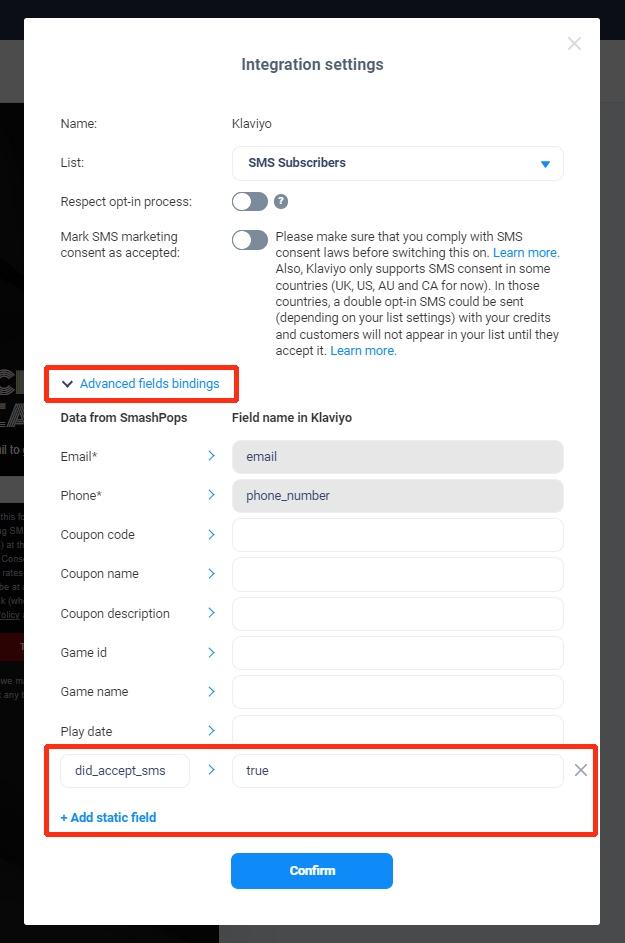
– Klaviyo will let you send SMS even if there is no sign of consent in case you don’t use the “Is consented to receive SMS” flow filters / conditions.
– At any moment, you can download all the data you collected via SmashPops and import it manually into Klaviyo by following this tutorial.
– Please test your integration before going live to make sure that everything is correctly set up!